
Case study 02 · Interaction Design / AI / Research
Making AI decisions more understandable.
Designing and evaluating an explainable-AI interface for ambulance IT systems, with a focus on how EMS clinicians could understand, question and use dynamic risk predictions during high-stakes decision making.
- Project
- Explainable AI for prehospital care
- Role
- UX / Interaction Design Research
- Context
- Chalmers master’s thesis with David Wallsten + published paper
- Location / Year
- Gothenburg, Sweden · 2023
01Context
High-stakes decisions leave little room for opaque technology.
Ambulance clinicians work under time pressure, cognitive load and rapidly changing conditions. The project explored how AI-driven risk prediction could fit into existing prehospital IT systems without removing the clinician’s ability to understand and judge the recommendation.
Problem / 01
AI may improve triage, but trust matters.
Explainability was treated as part of the interaction design problem: clinicians still make the final decision and need to understand what the system is basing a prediction on.
Design question / 02
How can dynamic AI decision support fit the ambulance workflow?
The design needed to work with existing systems, stay accessible during the workflow and communicate risk prediction without increasing unnecessary cognitive load.
02Research & Fieldwork
Understand the work before designing the intelligence.
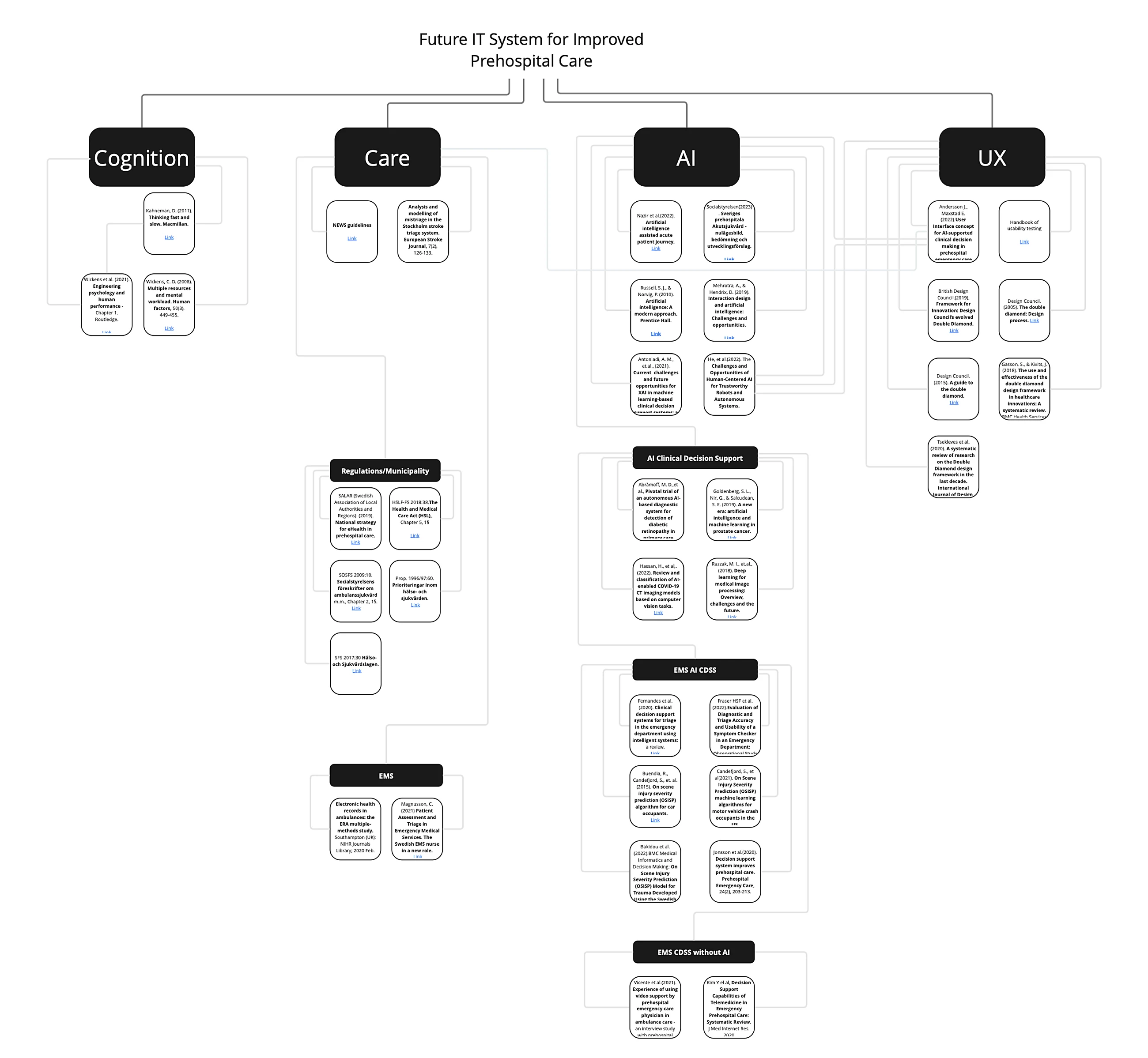
The study combined literature research, ethnography, expert interviews and analysis of existing ambulance IT systems. Fieldwork included ambulance environments in two Swedish regions using different triage solutions.
Discover / 01
Literature review
XAI, EMS, triage, healthcare AI and UX.
Discover / 02
Ethnography
Observation of ambulance work and clinical routines.
Discover / 03
Expert interviews
Five domain experts across clinical, research and industry contexts.
Define / 04
Workflow synthesis
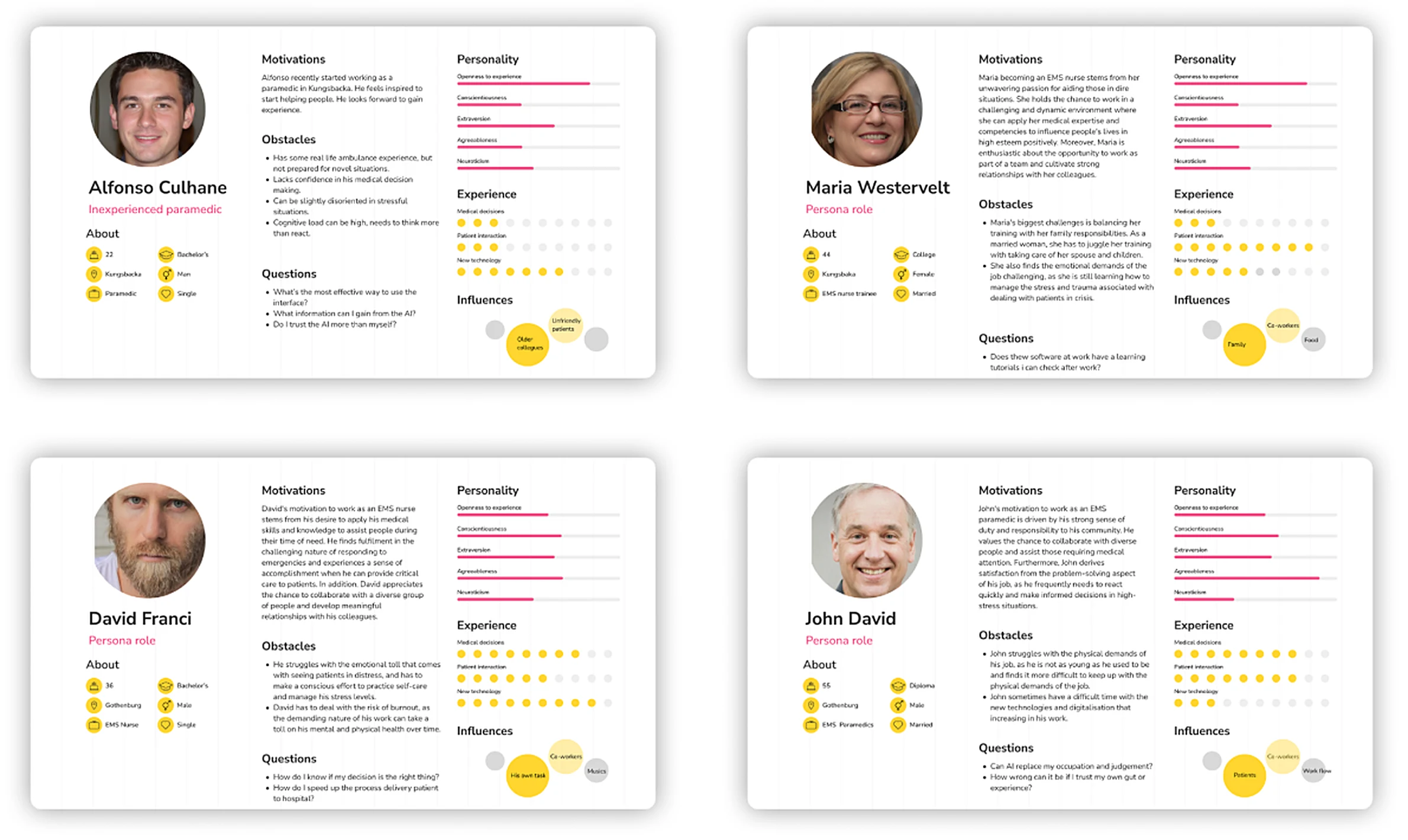
Journey maps, personas, task analysis and requirements.

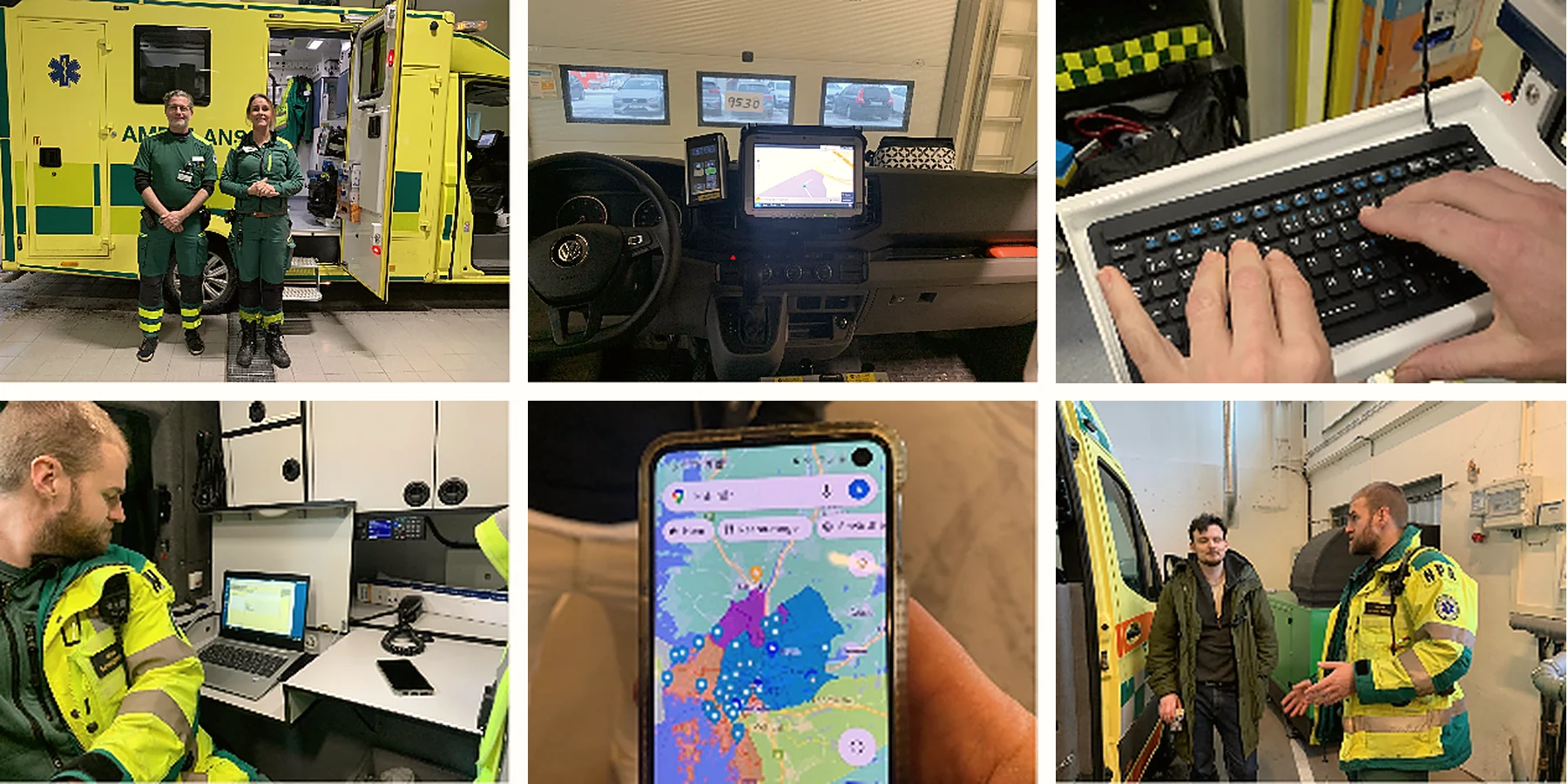
Field notes
- Some medics prefer a keyboard rather than typing on the screen.
- The journal is filled in later when a case isn’t urgent.
- The in-cab interface could be improved.
- Maybe more AI in the questions they work through.
03Workflow
Design around the clinician’s sequence of decisions.
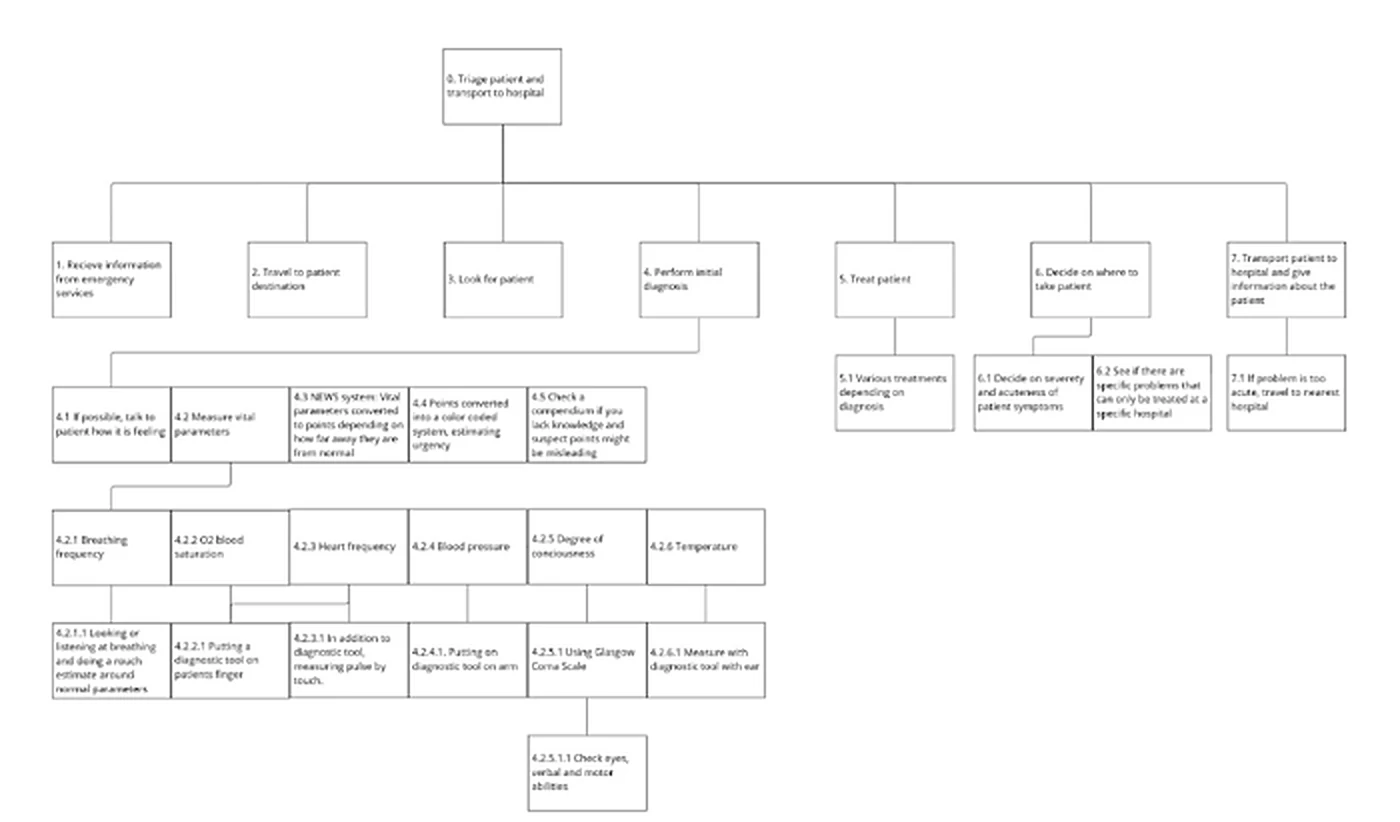
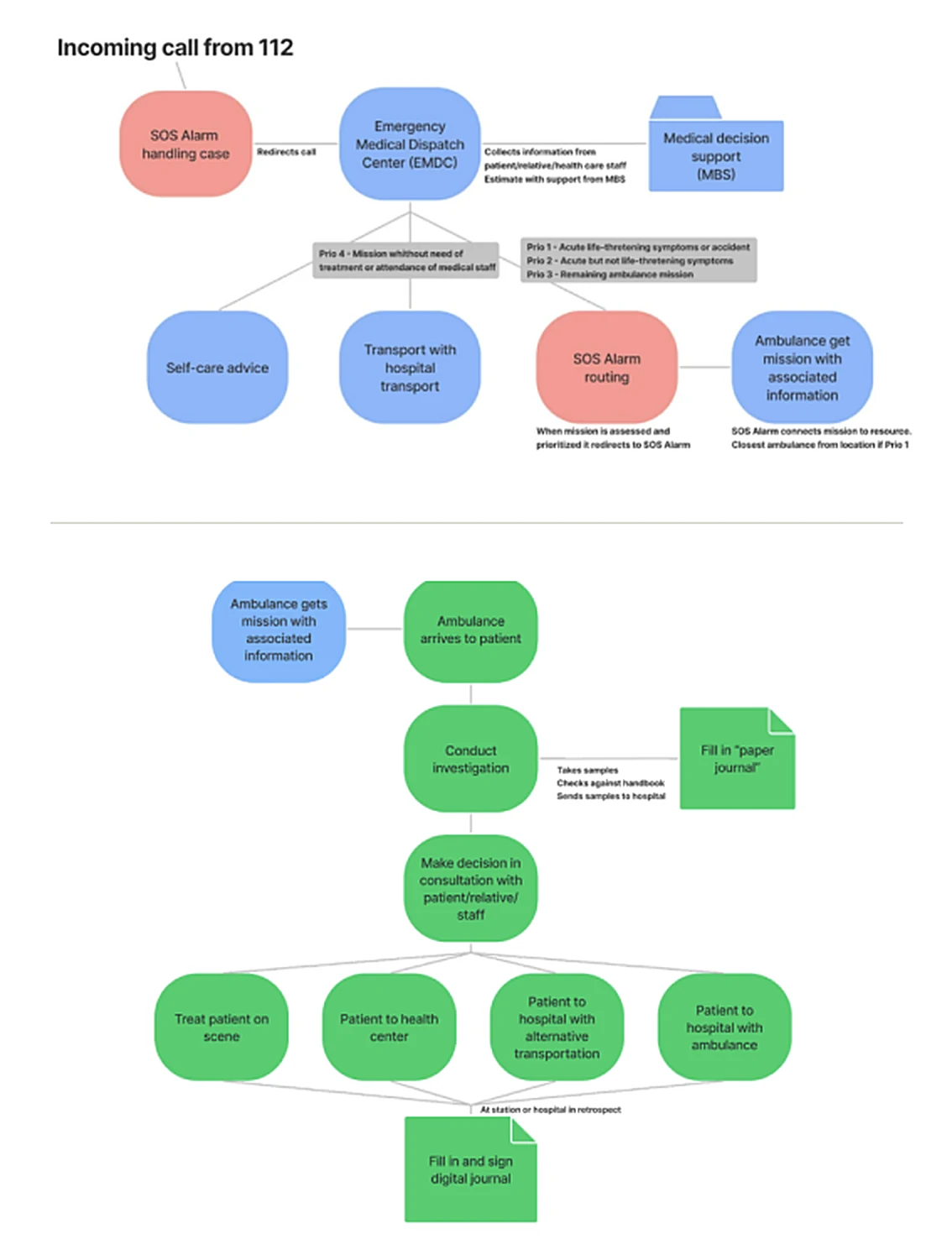
Research mapped the prehospital workflow from dispatch through assessment, triage, treatment or transport, and later documentation. The AI concept was designed to remain available across that flow rather than forcing clinicians into a separate tool.
EMS workflow
- 01Receive mission
- 02Assess patient
- 03Collect parameters
- 04Triage + decide
- 05Treat / transport / record
04Requirements
Translate research into constraints the interface had to respect.
- 01Integrate with current and future ambulance IT systems rather than requiring an entirely separate platform.
- 02Fit the complex, time-sensitive EMS workflow and remain accessible during use.
- 03Increase trust and understanding by showing why an AI prediction was made.
- 04Reduce unnecessary interaction and cognitive load in stressful environments.
- 05Remain adaptable beyond trauma to other potential AI-supported clinical scenarios.
05Prototyping
Move from rough interaction ideas to a testable system.
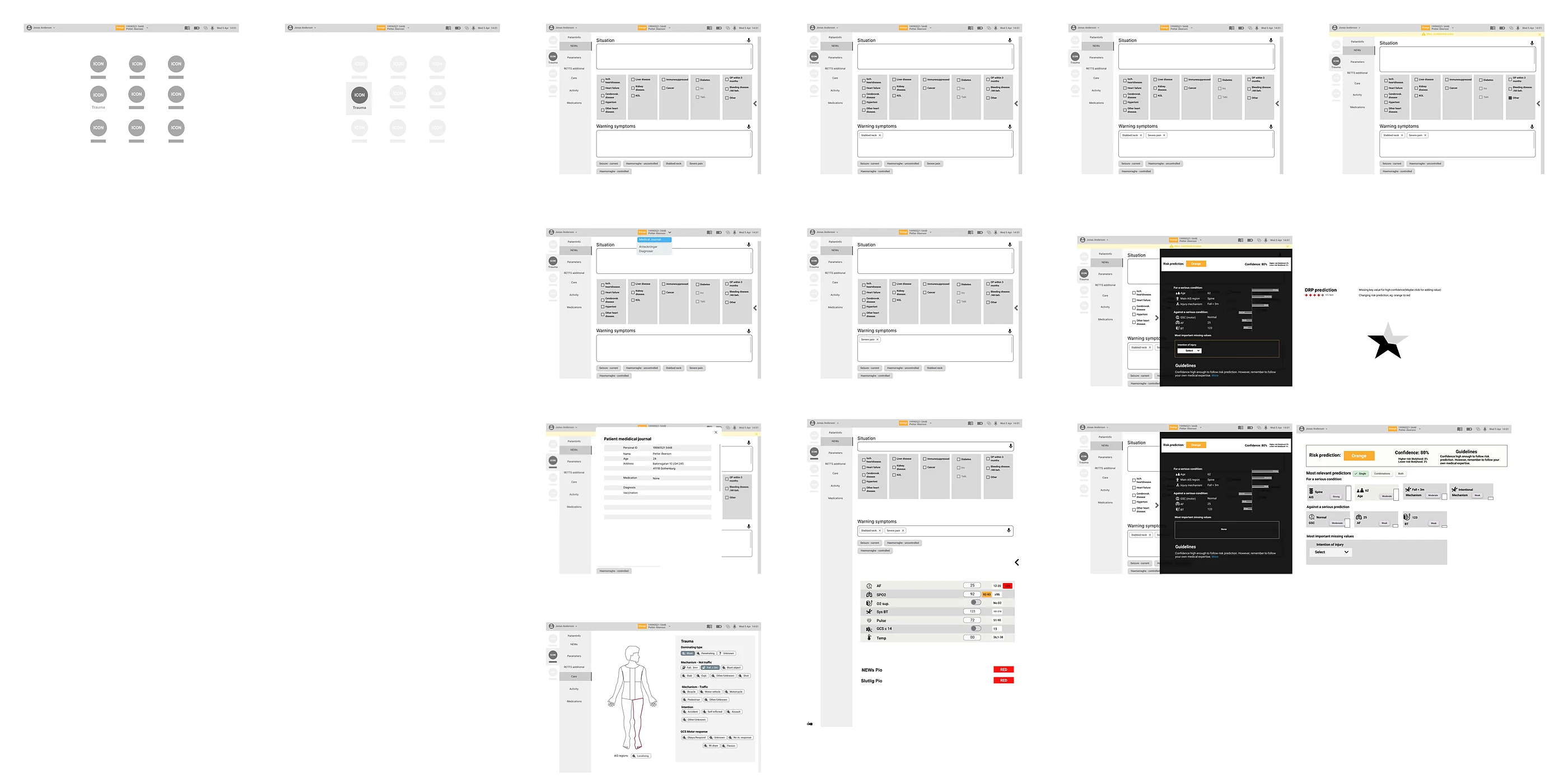
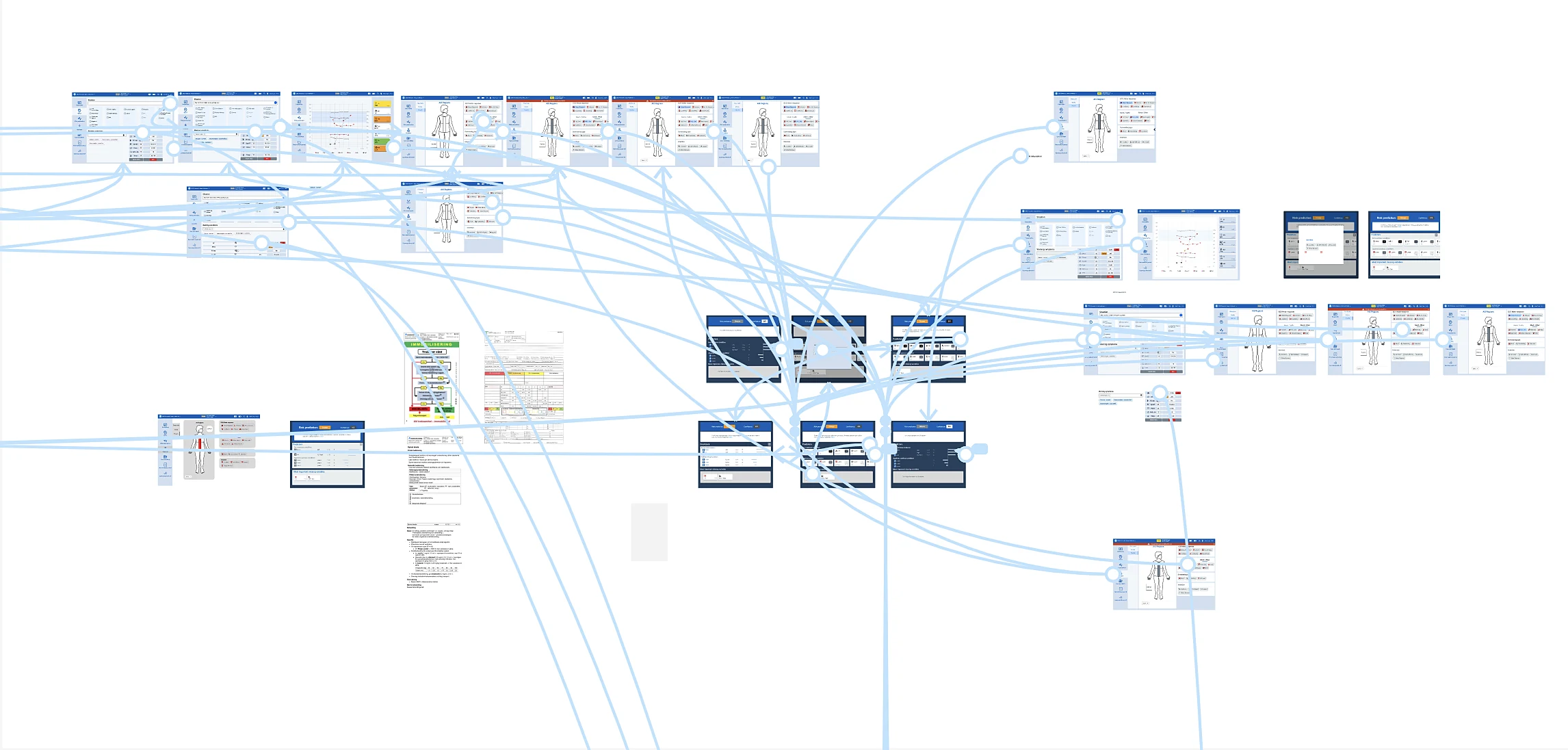
Prototyping progressed from sketching and tangible concepts through digital wireframes and a high-fidelity Figma prototype. Expert feedback was used throughout before usability testing with clinicians.
06Final XAI Concept
Explain the prediction without taking control away from the clinician.
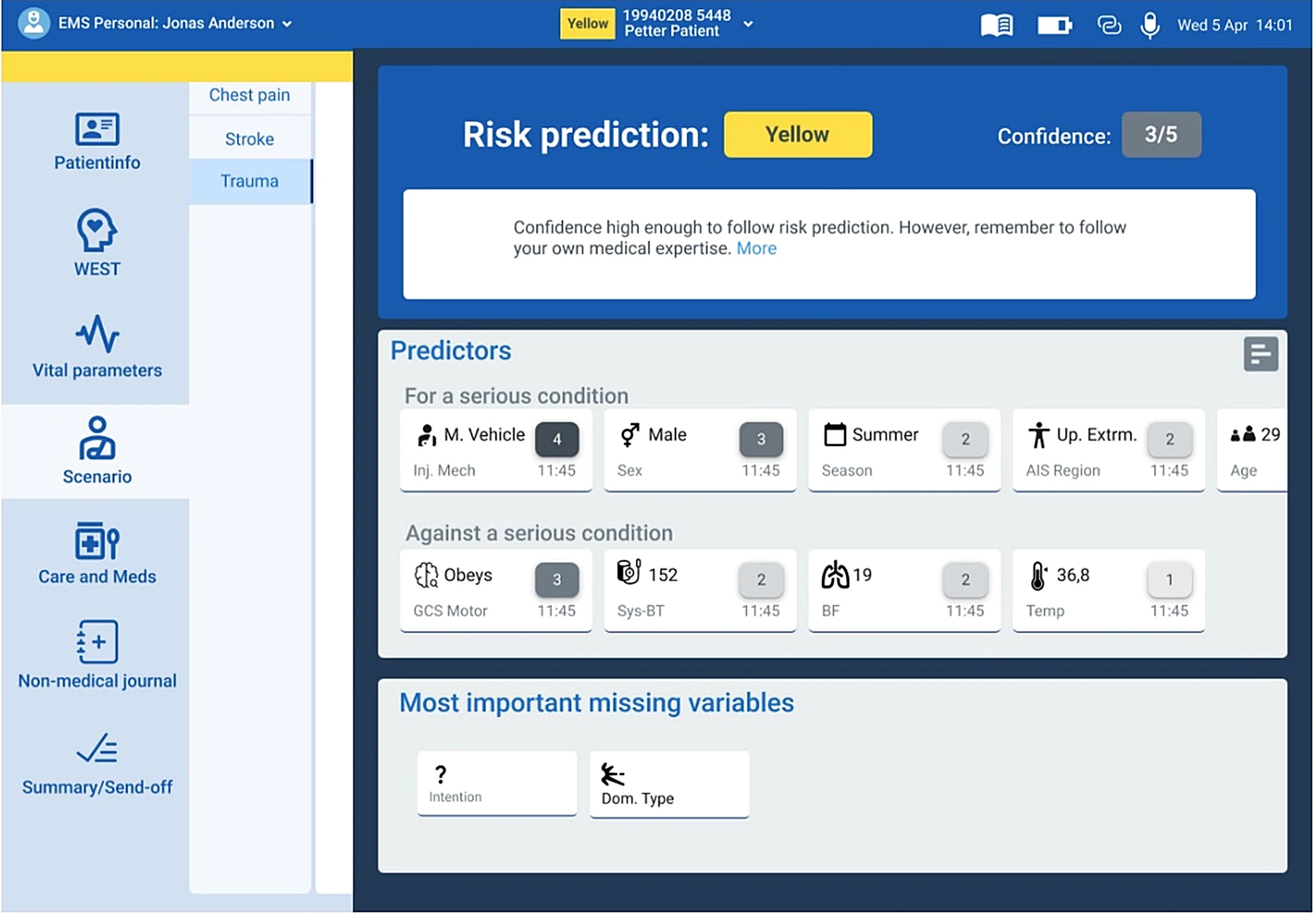
An overlay that stays available throughout the workflow.
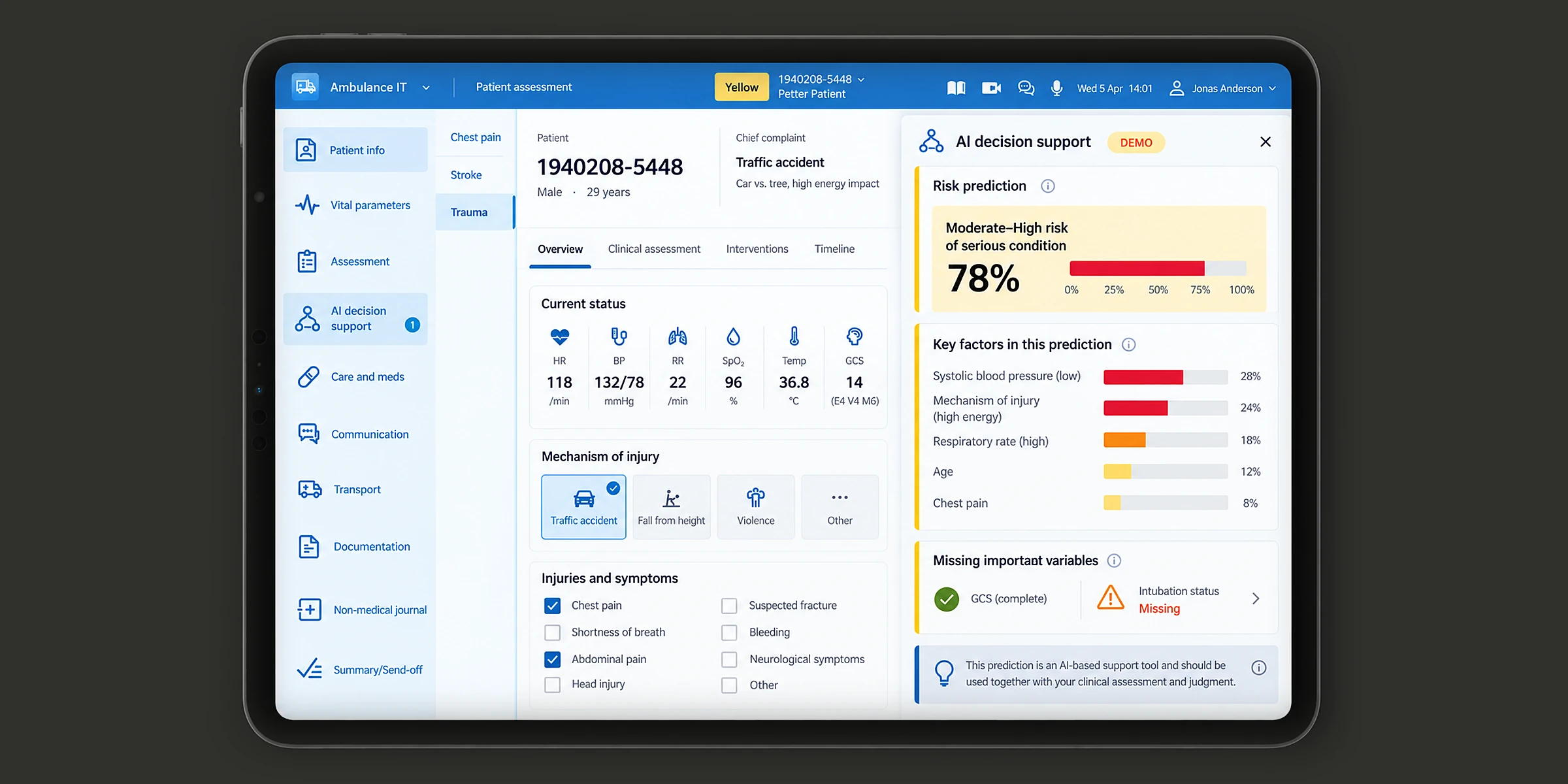
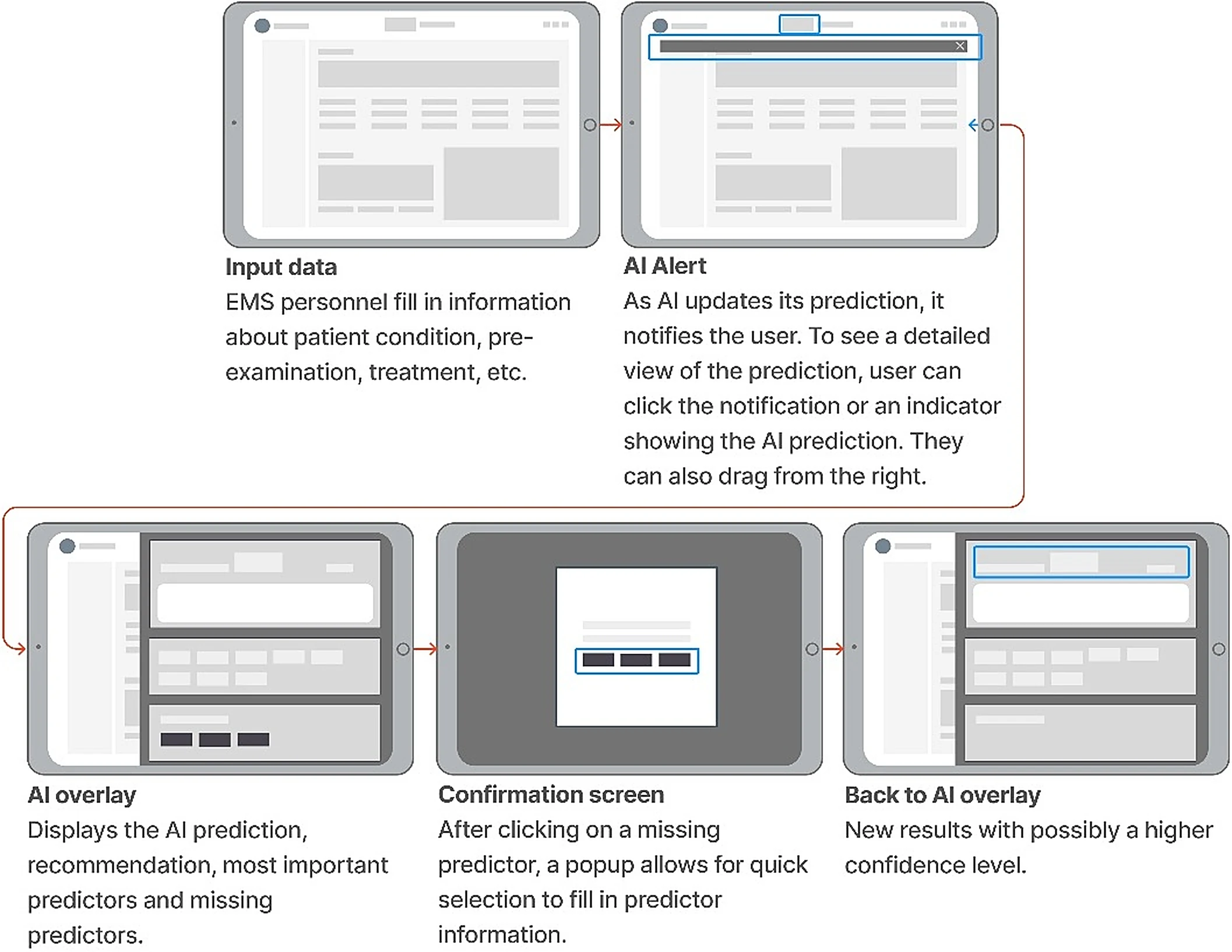
The final concept used an interactive overlay rather than a separate AI page. It could be opened from a notification, the top bar or a swipe gesture, while the underlying clinical workflow remained in place.
- Risk prediction + confidence + adaptable guideline
- Ranked predictors for and against a serious condition
- Important missing variables that could improve confidence
- Quick access without forcing clinicians through another navigation path
07Usability Testing
Test the interaction with the people responsible for the decision.
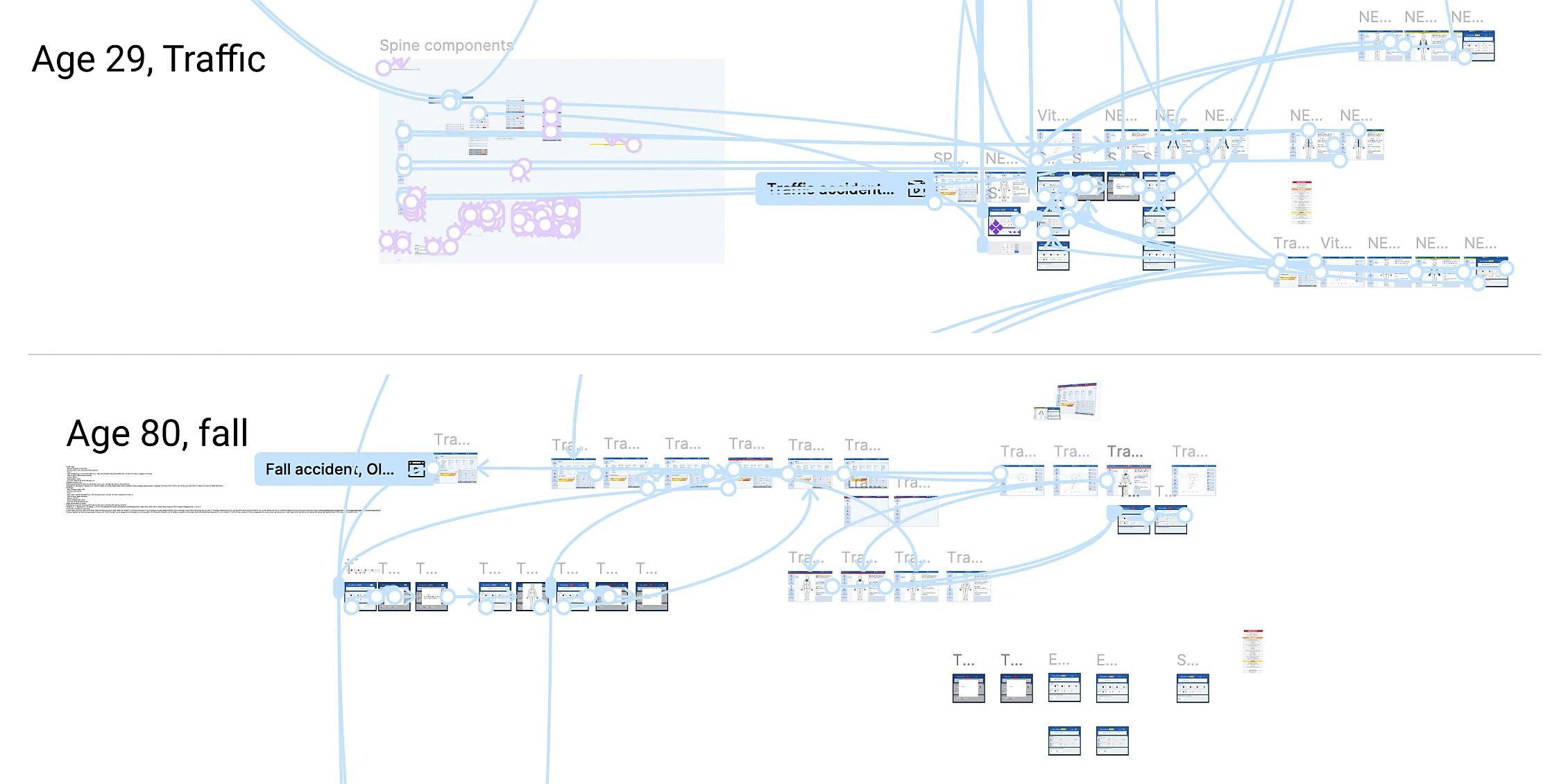
The final prototype was evaluated with seven EMS clinicians, all ambulance nurses, using think-aloud testing and follow-up interviews. Participants worked through two patient scenarios and used the AI-supported interface as part of the triage process.
Finding / 01
Explainability supported trust.
All EMS clinicians agreed that the design features explaining why a prediction was made were essential for trust.
Finding / 02
Predictors acted as reminders.
Clinicians valued seeing important predictors and missing information because it could prompt them to reconsider what they had assessed.
Finding / 03
Disagreement could trigger reflection.
When the AI prediction differed from a clinician’s assessment, participants described thinking again about whether something had been missed.
08Refined Prototype
Extend the concept across the whole ambulance workflow.
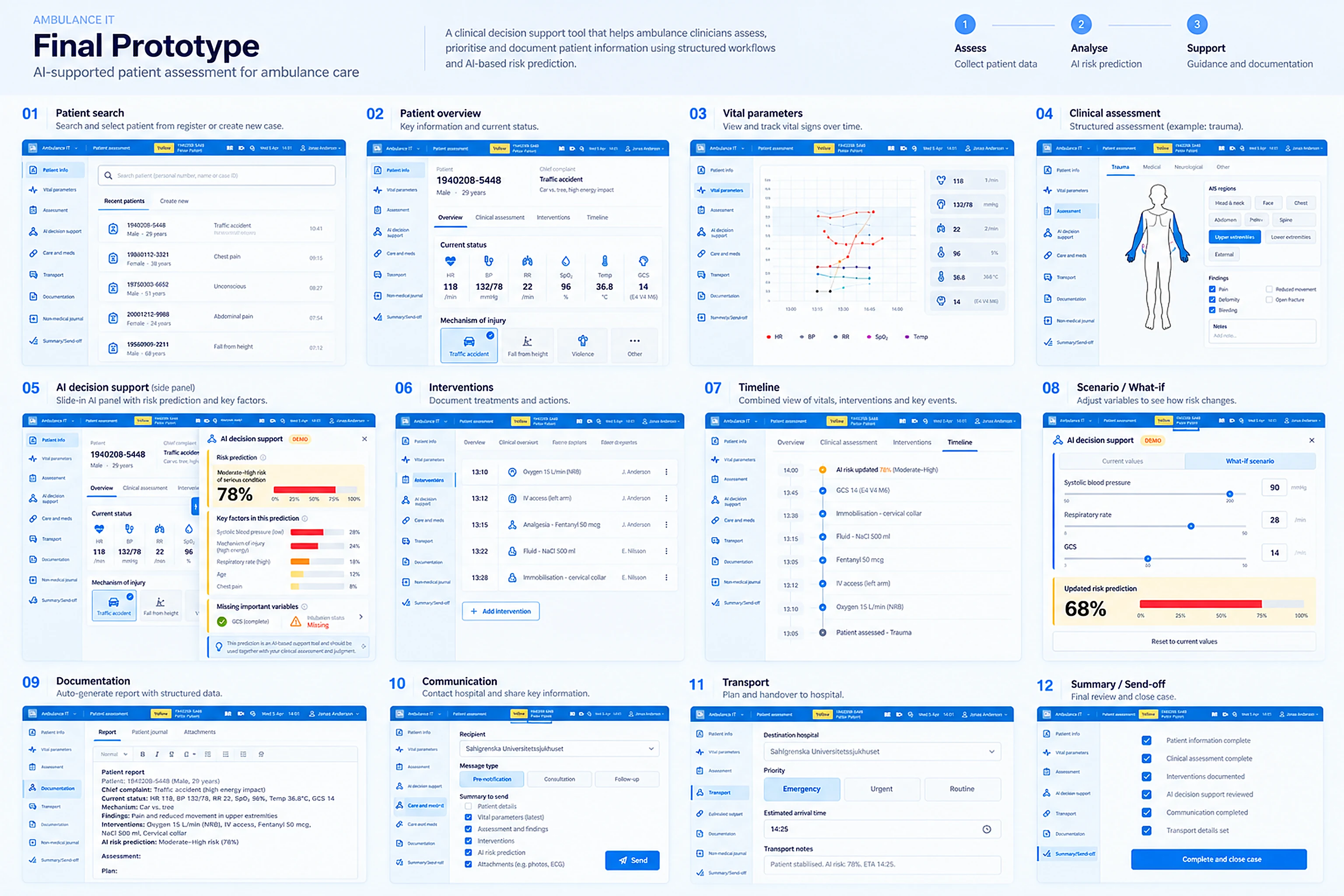
A refined prototype takes the idea beyond a single overlay. It covers the full case, from finding the patient to handover. AI decision support becomes a slide-in panel next to the patient record.
Step / 01
Assess
Patient search, overview, vital parameters and structured clinical assessment.
Step / 02
Analyse
AI risk prediction with key factors, missing variables and a what-if view to see how changes in vital signs shift the risk.
Step / 03
Support
Interventions, timeline, auto-generated documentation, hospital pre-notification, transport and send-off.
09Publication
From thesis project to published research.
The work was developed as a 2023 master’s thesis at Chalmers University of Technology, co-authored with David Wallsten, and later published (Wallstén et al.) in Artificial Intelligence, Social Computing and Wearable Technologies.
Design for Integrating Explainable AI for Dynamic Risk Prediction in Prehospital IT Systems
Next / Contact